



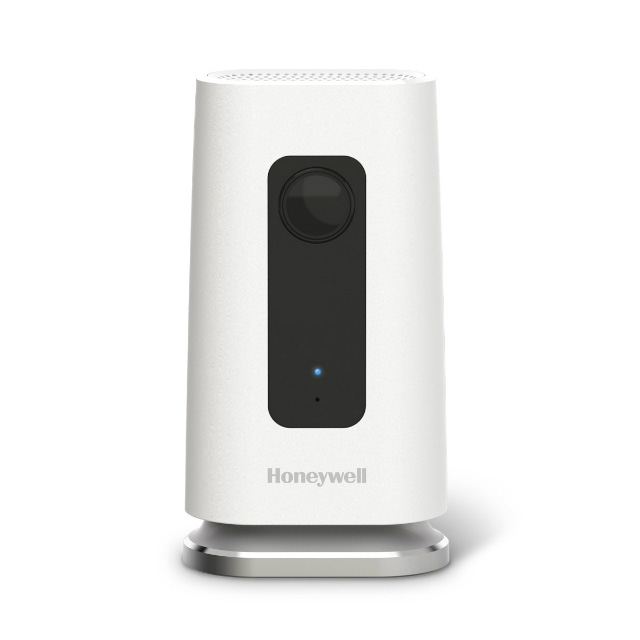
Customer Reviews For The Honeywell Lyric C1 Indoor Wi-Fi Security Camera, RCHC4100WF
Overall Rating
Product Reviews
Product FAQs
While Lyric C1 and C2 cameras are meant for self-monitoring, they can also work with a full home security solution.
All cameras currently come with free one-day storage. The 7-day and 30-day storage plans will be available in the future.
Please try turning off the power to your camera, then wait 15 seconds, and power it back on again. This should resolve the issue.
The Lyric C1 and C2 Wi-Fi Security Cameras are not compatible with other storage devices or software. Access is limited to protect your video clips and information. To store your video clips, you will need to download them to your smart devices via the Lyric app. Your camera includes free 24-hour storage in the Cloud and comes with an 8GB SD card that's used for temporary storage if your camera goes offline.
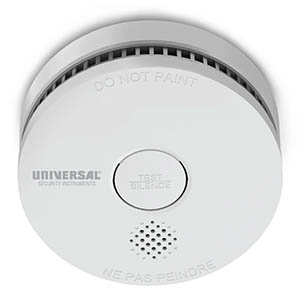
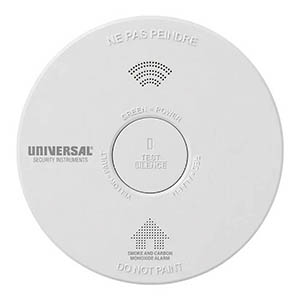
It depends on where you'd like to install your Lyric camera and the distance to the smoke alarm. Intelligent Sound Detection has been tested to work if the distance between the Lyric C1 or C2 camera and the smoke/carbon monoxide detector is within 30 feet (10 meters), even if the camera is in a different room.
The reporting path to the Internet is currently experiencing a delay longer than designed. In most cases, this issue will resolve itself shortly. Your camera is continuing to monitor and record requested sound and motion events and it will transmit them when the network is up and running again. However, the live-stream feature may not be available. In most cases, this issue will resolve itself in less than 30 minutes. If it continues, contact Honeywell Support at 1-800-633-3991.
If your camera is installed at a reasonable distance (approximately 10 meters or 32.8 feet) from the smoke alarm, you can keep the setting at normal sensitivity. The camera is able to detect the sound even 15 meters (49 feet) away from its source at normal sensitivity.
The recording starts almost immediately. It could take up to 30 seconds for the clips to be available to view through your Lyric app.
Once the alarm is detected, the "smoke alarm detected from CAM at your home/office" alert is sent to you through the Lyric app. You can also register an email address to receive notifications.
Check the color of the LED light on the front of the camera. If it's green, then the reporting path to the Internet is currently experiencing a delay longer than designed. Your camera will continue to monitor and record requested sound and motion events and it will transmit them when the network is up and running again. However, the live-stream feature may not be available. In most cases, this issue will resolve itself in less than 30 minutes. If the LED is red, it may need to be reconnected to your router. Unplug the camera's power outlet, wait for around 30 seconds and then power the camera back on. Do the same with your Wi-Fi router. If you're still experiencing problems, please contact Honeywell Support at 1-800-633-3991.
Upon detection of the alarm sound, the camera will send the notification immediately. It normally takes up to 30 seconds for the email and push notifications to be sent to you.
There's no streaming limit if you want to see what's happening in your home. Each live stream session is 90 seconds long, after which you can re-establish a connection and start another session for 90 seconds, and so on. The connection session time limit is designed to conserve bandwidth.
RCHC4100WF1002/W Video Guide
Watch this helpful video to learn more about the Honeywell Lyric C1 Indoor Wi-Fi Security Camera, RCHC4100WF.



Read customer ratings and reviews for the Honeywell Lyric C1 Indoor Wi-Fi Security Camera, RCHC4100WF. Learn what other customers have to say about their experiences, including what they liked, how the Honeywell Lyric C1 Indoor Wi-Fi Security Camera, RCHC4100WF met their expectations, and any concerns they encountered. These firsthand perspectives can provide helpful information beyond the standard product description.
Browse the reviews to compare customer ratings, explore positive and critical feedback, and make a more informed purchasing decision. If you've purchased or used this product, we encourage you to share your experience and help other shoppers find the right product for their needs.